Can someone track your phone without spyware?
Yes. A scan that finds no suspicious app cannot rule out every form of monitoring. Shared accounts, location settings, linked devices or a separate tracking device may be involved.
Read the app’s “nothing found” guide Check Android apps
SpywareMonitor is in testing now and comes to Google Play in mid-November 2026.
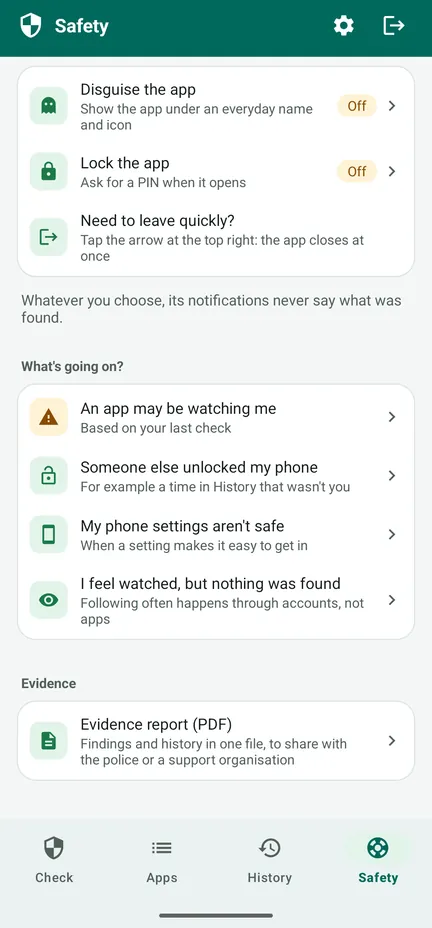
A clean scan is not a guarantee that no one can access information. SpywareMonitor checks apps and selected settings on the phone. It cannot inspect every account, linked service, work profile or physical tracker.
Other ways phone information may be visible
Shared accounts
Another person may have access to a Google account or another service where location, photos or activity are shared.
Location sharing
Location may be shared through a map, family or device-finding service, sometimes from a setting you enabled earlier.
Linked devices
Messaging, email or cloud services can stay signed in on another device, depending on the service and account settings.
Physical trackers
A Bluetooth or other physical tracking device is separate from apps installed on your phone and may require different steps to identify.
What you can review on Android
- Use a device you believe is safe. If you are worried someone can see your activity, avoid researching account changes on the phone in question when that could alert them.
- Review location sharing. Check the sharing settings in the map, family and device-finding services you use. The exact steps depend on the service.
- Review account sessions and recovery options. Look for devices you do not recognise and check whether recovery email addresses or phone numbers are shared or controlled by someone else.
- Review linked devices in communication apps. Check whether messaging, email or cloud accounts are signed in elsewhere, if it is safe to do so.
- Consider physical tracking devices. If you suspect a tracker, follow the device maker’s safety guidance or seek help from a local support service; do not confront someone if that could put you at risk.
Changes can be visible. Revoking account access, stopping location sharing or changing a password may send an alert or prompt a conversation. If safety is a concern, plan with a specialist service before making changes.
Why a scan might not find the cause
SpywareMonitor is designed to inspect Android apps and selected phone settings. It cannot see apps in a work profile or spyware on a rooted phone, and following through accounts can happen without any app. A scan is one source of information, not a complete audit of every way someone could access data.
If you feel watched but the app check is clear, the app’s “I feel watched, but nothing was found” guide includes more steps to consider.
Frequently asked questions
Can someone see my location through my Google account?
Account and location-sharing features can make location visible to people or devices that have been granted access. Review the current settings and signed-in devices from a safer device if you can.
Does a clean spyware scan mean my phone is safe?
No scan can prove that every kind of monitoring is absent. A clear result means the tool did not identify the apps or settings it checks.
Should I change my Google password?
Consider doing so from a device you believe is safe and check account recovery options too. A password change may send alerts or sign devices out; get support first if that could create risk.
More guides
- How to check an Android phone for spyware — what to look at, and what a scan can and cannot prove.
- How to find hidden apps on Android — the full app list, apps without an icon and special access.
- What to do if you find spyware on your phone — safety first, evidence, and getting help.
- SpywareMonitor help — how the app works, step by step.
General privacy and safety information only; service settings can change. If you are in immediate danger, contact local emergency services.